

AI-powered symptom self-assessment tools have changed how Canadians decide whether to call a nurse line, book a doctor, or head straight to the ER. Instead of guessing, you get a structured, personalized report based on your actual symptoms and health context. Here is what you need to know about how these tools work, what they can and cannot do, and which one stands out in 2026.
Canadian symptom self-assessment tools typically follow a three-step process: you enter basic demographic information, answer structured symptom questions, then receive a personalized report with recommended next steps. Because Canada's healthcare system is publicly funded, most of these tools are free to access with no subscription or payment required. Key benefits include:
- Personalized guidance based on your age, location, and specific symptoms
- Triage support that helps you decide between self-care, a clinic visit, or emergency care
- Easy access from any device, any time, without waiting on hold
- Integration with local health services and regional wait time data
- Tools like MediGuide that deliver plain-English results with no sign-up required
Table of Contents
- How Canadian AI symptom self-assessment tools work, step by step
- What symptom checkers can and cannot do for you
- MediGuide's privacy-first approach and what makes it different
- How to read your assessment results and decide what to do next
- Healthnavigatorai gives you faster answers without the wait
- Key Takeaways
How Canadian AI symptom self-assessment tools work, step by step
The workflow is straightforward, but each step matters more than it looks.
- Enter your basic demographics. Age, biological sex, and province or territory shape everything that follows. A 70-year-old in rural Yukon gets different guidance than a 25-year-old in Toronto, because local health resources, wait times, and risk profiles differ significantly.
2. Answer structured symptom questions. The tool asks about symptom type, how long you have had it, and severity. The most accurate assessments happen when you also include current medications and any chronic conditions alongside your symptoms. Skipping that detail is the single most common reason triage results fall short.
3. Receive your personalized assessment report. The report outlines recommended next steps, ranging from home self-care to urgent care or emergency. It may also link you directly to local providers or nurse lines.
4. Get connected to local health services. Many tools integrate referral pathways so you are not left reading a report with no idea what to do next. MediGuide, for example, connects users to appropriate specialists and includes region-specific wait time data so you can make a realistic plan.
5. Benefit from dynamic AI updates. The AI does not ask questions in a fixed order. It adjusts based on your answers, prioritizing questions that rule out life-threatening conditions first. Tools also update frequently to reflect current local health alerts, such as seasonal respiratory virus surges or regional outbreaks.
What symptom checkers can and cannot do for you
These tools are triage aids, not diagnostic instruments. That distinction matters practically.
Symptom checkers are designed to help you decide what level of care you need, not to tell you what disease you have. Medical professionals consistently caution that no digital tool replaces a clinical exam, lab work, or a physician's judgment. If your symptoms are severe, worsening, or have persisted for more than a few days, the tool's job is to point you toward a professional, not to substitute for one.
What they do well:
- Flag potentially life-threatening symptoms early in the questioning sequence
- Reduce unnecessary emergency room visits by directing mild cases toward self-care or a walk-in clinic
- Reflect current regional health priorities, including COVID-19 variants, influenza surges, and local alerts
- Provide consistent, standardized guidance that does not vary by time of day or how busy a call center is
Where accuracy breaks down:
- Incomplete answers produce incomplete results
- The tool cannot observe you, so it cannot catch what you do not report
- Rare conditions or atypical symptom presentations can be missed
Pro Tip: Before you start an assessment, have your medication list and any relevant chronic conditions written down. Providing that context upfront takes two minutes and meaningfully improves the quality of your results.
MediGuide's privacy-first approach and what makes it different
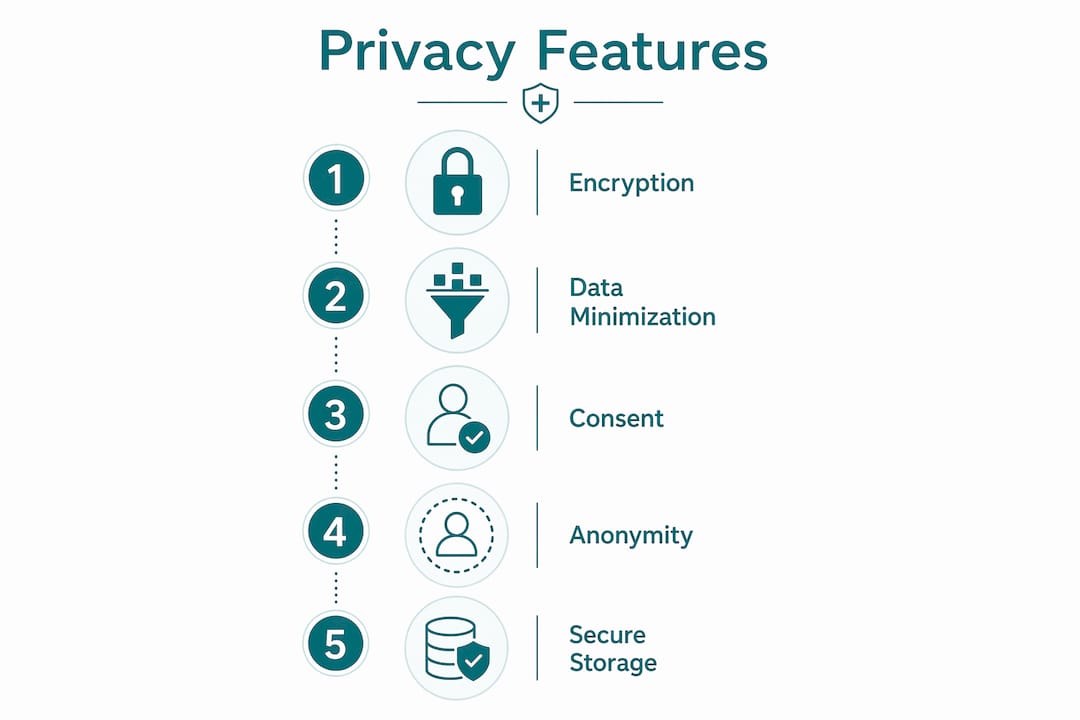
Most Canadians do not realize how much personal health data some symptom apps collect. Government-operated tools like Health811 and HealthLink BC integrate with public health systems and maintain strict data standards. MediGuide takes a comparable approach with one key difference: it requires no account, no email, and no sign-up at all.
Key features that set MediGuide apart:
- No sign-up, no data retention. Your session data is not stored, sold, or shared. You get your assessment and leave without leaving a trace.
- Free access. There is no paywall, no freemium tier, and no upsell. The tool is entirely free as a public health resource.
- Plain-English results. Medical jargon is stripped out. The guidance reads the way a knowledgeable friend would explain it, not the way a discharge summary reads.
- Regional integration. MediGuide incorporates province-level and territory-level data, including average wait times at local facilities, so your next step is actually actionable where you live.
- Document upload capability. You can upload a medical document, such as a lab result or referral letter, and the AI factors that context into its assessment.
> MediGuide is AI-powered, Canadian-focused, and built around the principle that health guidance should be accessible without requiring you to hand over personal information to get it.
For Canadians who want to understand what secure symptom checker features to look for in 2026, privacy architecture and no-login access are the two criteria that separate trustworthy tools from data-harvesting ones.
How to read your assessment results and decide what to do next
Your report is a recommendation, not a verdict. Treat it the way you would treat advice from a knowledgeable friend who has not examined you: seriously, but not as the final word.
Assessment outputs typically fall into four categories:
- Self-care at home. Mild symptoms with no red flags. Rest, hydration, and over-the-counter options are appropriate. Monitor for changes.
- Routine care. Book a family doctor or walk-in clinic within a few days. Not urgent, but worth a professional look.
- Urgent care. Symptoms that need attention within hours, not days. An urgent care clinic or after-hours nurse line is the right call.
- Emergency care. Go to the ER or call 911 now. Severe chest pain, difficulty breathing, sudden confusion, loss of consciousness, or signs of stroke fall into this category.
If the tool flags emergency symptoms, do not second-guess it. A medical ID tag worn on your person can also give first responders critical health information the moment they arrive, which matters when you cannot speak for yourself.
For persistent or worsening symptoms, even if the initial result suggested self-care, run the assessment again after 24 hours or consult a provider directly. The tool reflects a moment in time; your symptoms may not stay static.

Healthnavigatorai gives you faster answers without the wait
Waiting three weeks for a GP appointment to find out whether your symptoms warrant concern is a frustrating reality for many Canadians. Healthnavigatorai's MediGuide is built specifically for that gap.
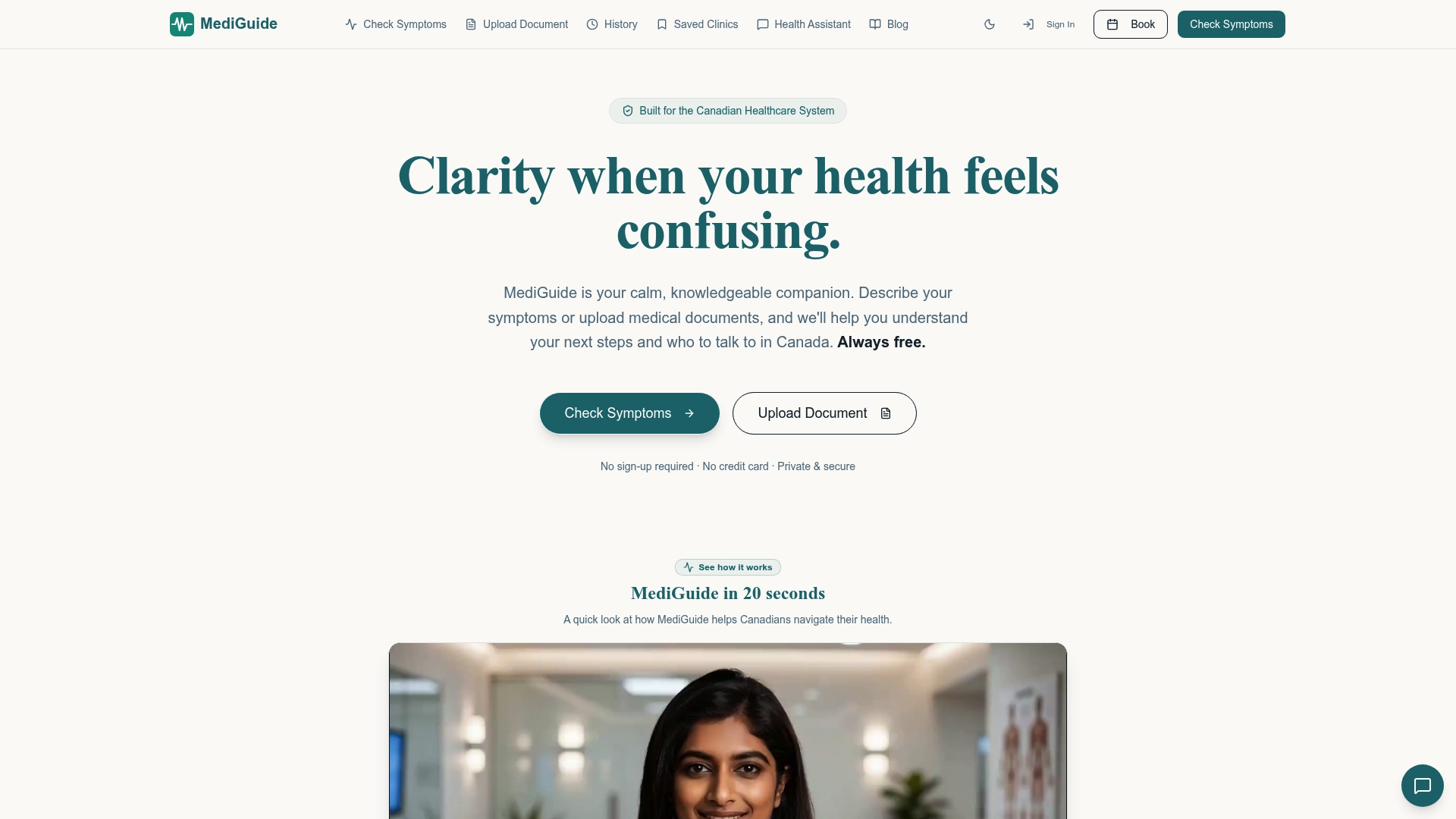
You describe your symptoms or upload a medical document, and MediGuide's AI delivers a clear, plain-English assessment in minutes, no account required, no fee, no personal data collected. It connects you to the right type of specialist for your situation and shows you realistic wait times in your region so you can plan rather than guess. For Canadians navigating a system where access is uneven and wait times vary sharply by province, that regional specificity is the difference between a useful tool and a generic one.
Check your symptoms now with MediGuide, or upload a medical document if you have lab results or a referral you want the AI to factor in.
Key Takeaways
Canadian AI symptom self-assessment tools provide personalized triage guidance in minutes, but they work best when you supply complete health information and treat results as a starting point for care decisions, not a final diagnosis.
| Point | Details |
|---|---|
| Three-step process | Enter demographics, answer symptom questions, then review a personalized report with next steps. |
| Triage, not diagnosis | Symptom checkers direct you to the right level of care; they do not replace a clinical exam or professional judgment. |
| Complete inputs matter | Including medications and chronic conditions alongside symptoms produces significantly more accurate triage results. |
| Four result categories | Outputs range from self-care at home to emergency care, depending on symptom severity and risk flags. |
| MediGuide | Free, no sign-up, privacy-first AI tool that delivers plain-English guidance with region-specific wait time data for Canadians. |


