

A free health check with no signup is an online tool that delivers quick symptom assessments without requiring registration, personal data, or a credit card. These tools use validated clinical screening methods, including the PHQ-9 depression scale and the ADAM questionnaire, to match your symptoms against recognized patterns. Healthnavigatorai is one example of an AI-powered platform built specifically for Canadians who want plain-language health guidance without the hassle of creating an account. The results are educational, not diagnostic. They give you a clear starting point before you decide whether to call a doctor.
What do you need to start a free health check no signup?
The barrier to entry is low. Most no-signup health assessment tools work on any modern smartphone or laptop, and no personal information is required to begin.
Device and environment requirements
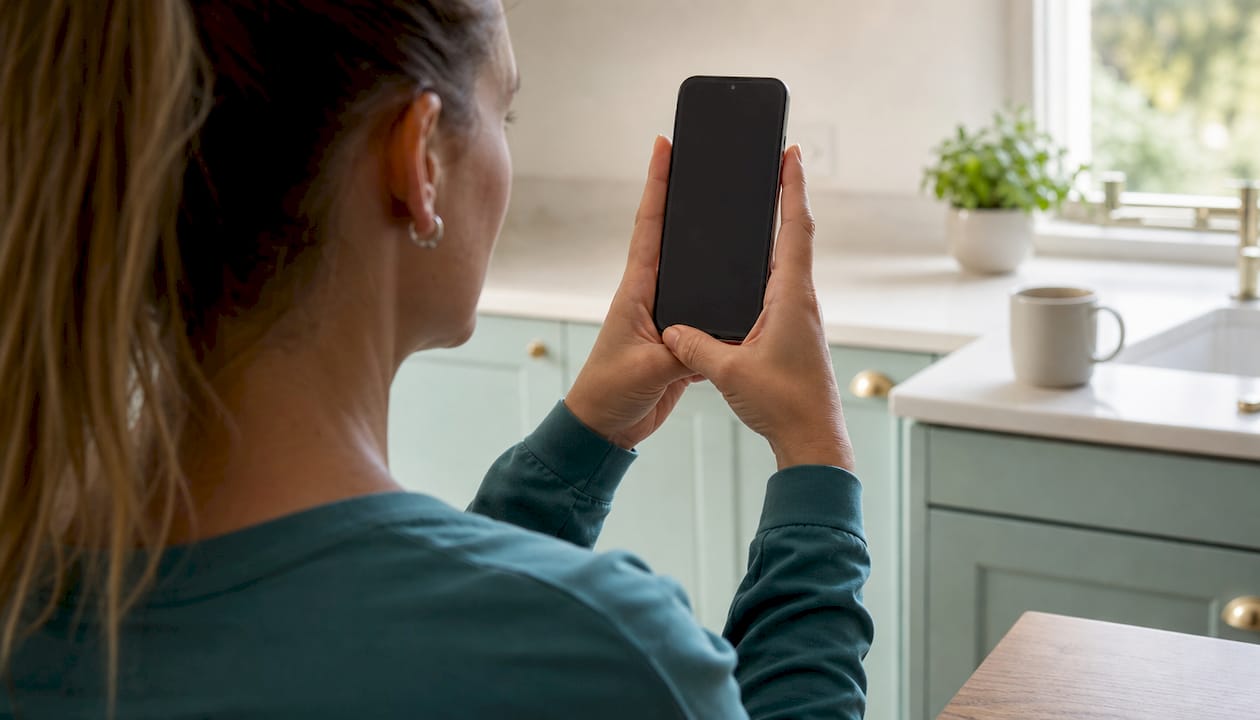
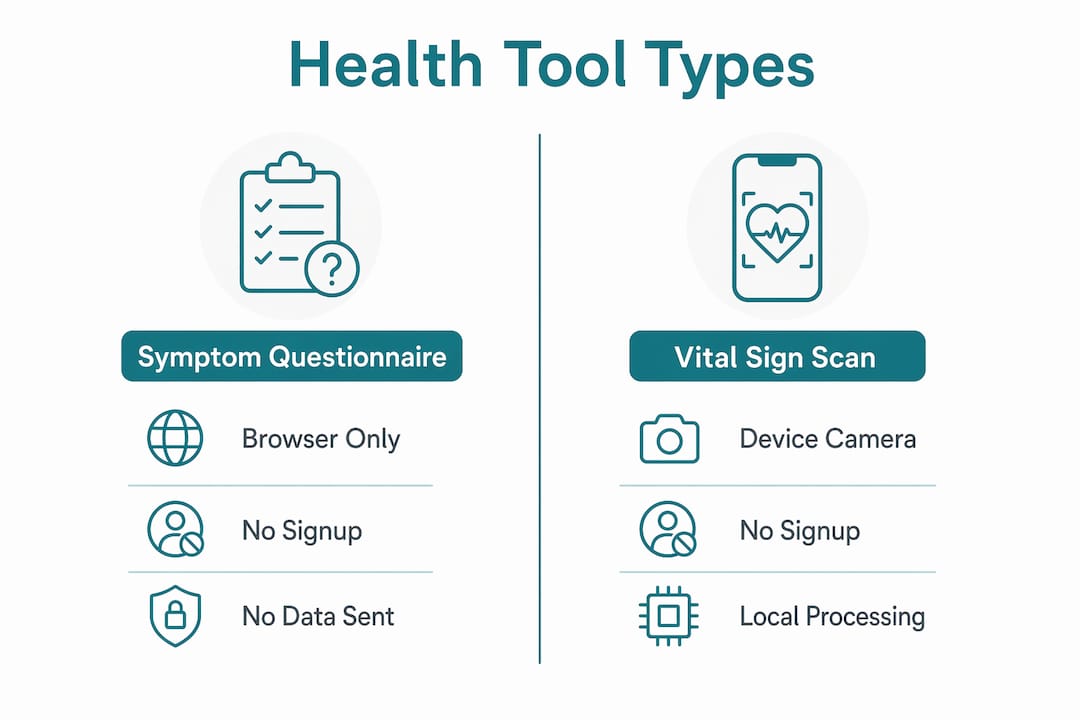
A standard smartphone with a front-facing camera covers the requirements for most tools. For contactless vital scans, rPPG technology detects subtle changes in skin color through your webcam to estimate over 25 vital signs in under 40 seconds, with no wearable hardware needed. Good lighting matters. Sit near a window or under a steady lamp, avoid backlighting, and keep your face centered in the frame for the most accurate reading.
For symptom questionnaire tools, you need nothing more than a browser and a few minutes. No webcam, no microphone, and no account. These tools ask straightforward questions about how you feel and match your answers against clinical patterns.
How anonymity actually works
Privacy-focused tools compute results locally inside your browser, meaning no data leaves your device and nothing is stored on a server. You can verify this yourself by switching your device to airplane mode after the page loads. If the tool still runs, your data never left your phone.
| Tool type | Device needed | Signup required | Data transmitted |
|---|---|---|---|
| Symptom questionnaire | Any browser | No | None |
| Contactless vital scan | Webcam or front camera | No | None (browser-side) |
| Document upload checker | Any browser | No | Encrypted upload only |
| AI symptom chat | Any browser | No | Session only, not stored |
Pro Tip: Before trusting any no-signup health tool, open your browser's developer tools and check the Network tab while completing the assessment. If no outbound requests appear, your data is staying local.
How to complete a free health check step by step
The process is faster than most people expect. Completion times range from 35 seconds for a vital signs scan to 6 minutes for a full symptom questionnaire. Here is what a typical session looks like.
- Open the tool. Go directly to the health checker page. No account creation screen will appear. No email field. You land on the assessment immediately.
- Choose your check type. Most tools offer two paths: describe your symptoms in plain language, or enable your camera for a contactless vital scan. Pick the one that fits your situation.
- Enter your symptoms or position your face. For symptom tools, type or select what you are experiencing. Be specific. "Chest tightness after climbing stairs" gives the tool more to work with than "chest pain." For vital scans, hold your face steady in the camera frame and stay still for 35 seconds.
- Wait for processing. Symptom questionnaires process instantly. Vital scans take under a minute. Neither requires you to stay on the page for long.
- Read your results. Results appear in plain language. The tool will indicate whether your symptom pattern aligns with a recognized clinical concern and suggest a next step, such as speaking with a family doctor or visiting a walk-in clinic.
- Note the recommended specialist and wait times. Platforms like Healthnavigatorai go further by connecting your symptoms to the right type of specialist and showing average wait times in your region.
Do's and don'ts for accurate results
Do describe all symptoms, even ones that seem unrelated. Fatigue combined with low mood, for example, carries more clinical weight than either symptom alone. Do complete the assessment in one sitting. Stopping midway can produce incomplete pattern matching.
Don't search your symptoms on other sites before completing the check. Pre-loaded anxiety about a diagnosis can skew how you answer questions. Don't use the tool immediately after strenuous exercise if you are doing a vital scan. Your heart rate and skin tone will be temporarily altered.
Pro Tip: Test the tool's privacy claim by going offline before you start. Load the page, disconnect from Wi-Fi, then complete the assessment. If results still appear, the tool is genuinely browser-side and not sending your data anywhere.
How to interpret results from a no-signup health assessment
Results from a free, no-signup health assessment are educational guidance, not a medical diagnosis. This distinction matters. Online screeners identify symptom patterns based on validated clinical questionnaires rather than direct biological measurement. A PHQ-9 screener, for instance, tells you whether your reported mood symptoms align with patterns associated with major depression. It does not measure serotonin levels or replace a psychiatrist's evaluation.
What the output typically includes
Most tools return one of three types of output. The first is a symptom summary, which lists what you reported and flags any patterns that match a recognized clinical category. The second is a severity indicator, which uses language like "low concern," "moderate concern," or "seek care soon" to help you prioritize. The third is a next-step recommendation, which points you toward a specific type of provider or resource.
The PHQ-9 scale carries 88% sensitivity and specificity for major depression screening. That is a strong signal, but it is still a signal, not a verdict.
> A symptom checker answers one question: do your reported symptoms match a known clinical pattern? It does not answer whether you have a condition. That answer requires a clinician, a physical exam, and often lab work. Use the checker to decide whether to book an appointment, not to replace one.
When to act on your results
- Low concern: Monitor your symptoms for 48–72 hours. If they worsen, book a routine appointment.
- Moderate concern: Contact your family doctor or a telehealth service within a few days.
- Seek care soon: Visit a walk-in clinic or urgent care center within 24 hours.
- Emergency indicators: Call 911 or go to an emergency department immediately. No online tool replaces emergency care.
Symptom checkers reduce anxiety by giving structure to vague or worrying feelings. That structure is the real value. Knowing your symptoms fit a "low concern" pattern is often enough to stop a spiral of late-night searching.
Common mistakes when using no-signup health checks
The most frequent mistake is poor lighting during a vital scan. A dimly lit room causes the rPPG algorithm to misread skin color changes, which throws off heart rate and oxygen estimates. The fix is simple: sit facing a light source, not away from one.
The second common mistake is incomplete symptom reporting. Tools request minimal input without registration, which means the quality of your output depends entirely on the quality of your input. Leaving out a symptom because it seems embarrassing or unrelated weakens the pattern match.
Misreading results as diagnoses
Many people treat a "moderate concern" result as confirmation of a serious condition. It is not. Screeners identify patterns, not conditions. A result that aligns with a depression pattern means your reported symptoms are consistent with what clinicians see in depression cases. It does not mean you have depression.
Pro Tip: Check whether the tool you are using links to its privacy policy and explains how results are generated. Credible tools are transparent about their methodology. If a tool makes no mention of how it works or who built it, treat its results with caution. You can also review how to identify secure health websites before you start.
| Mistake | Why it happens | How to fix it |
|---|---|---|
| Poor lighting for vital scan | Unaware of camera sensitivity | Face a window or lamp directly |
| Incomplete symptom entry | Embarrassment or oversight | Report all symptoms, even minor ones |
| Treating results as a diagnosis | Misunderstanding tool purpose | Read the tool's disclaimer before acting |
| Using the tool during physical stress | Elevated baseline readings | Wait 30 minutes after exercise |
| Skipping the privacy check | Assuming all tools are safe | Verify browser-side processing or check privacy policy |
Key takeaways
A free health check with no signup gives Canadians fast, private symptom guidance using validated clinical methods, with no registration or personal data required.
| Point | Details |
|---|---|
| No data leaves your device | Privacy-focused tools run entirely in your browser, storing nothing on external servers. |
| Results are educational, not diagnostic | Output identifies symptom patterns using standards like PHQ-9, not confirmed conditions. |
| Speed ranges from 35 seconds to 6 minutes | Vital scans finish in under a minute; full questionnaires take up to 6 minutes. |
| Input quality drives output quality | Reporting all symptoms, including minor ones, produces more accurate pattern matching. |
| Results guide your next step | Use severity indicators to decide whether to monitor, book an appointment, or seek urgent care. |
Why I think Canadians underestimate these tools
Most Canadians I speak with assume a free, no-signup health tool is either a gimmick or a data trap. Neither is true for well-built platforms. The anonymity is real, the clinical standards behind the screening questions are the same ones doctors use, and the speed is genuinely useful when you are trying to decide at 10 PM whether a symptom warrants a trip to urgent care.
What I find more interesting is the anxiety reduction effect. Symptom checkers provide clarity by giving structure to what otherwise feels like a fog of worry. That structure alone has value, separate from any medical insight. When you see your symptoms laid out against a clinical pattern and the result says "low concern," you sleep better. That is not nothing.
The mistake I see most often is people using these tools as a final answer rather than a first step. A no-signup health assessment is the equivalent of calling a knowledgeable friend before you call your doctor. It helps you frame the conversation, not skip it. Anonymous health screening options are expanding in Canada, and the Canadians who use them well treat them as a triage layer, not a replacement for care.
The tools that earn trust are the ones that are honest about what they cannot do. If a platform tells you it can diagnose you, close the tab.
> — Rishi
Healthnavigatorai: a free, private health check built for Canadians
Healthnavigatorai's MediGuide is a free AI-powered symptom checker designed specifically for Canadians. No account, no email, no personal data collected.
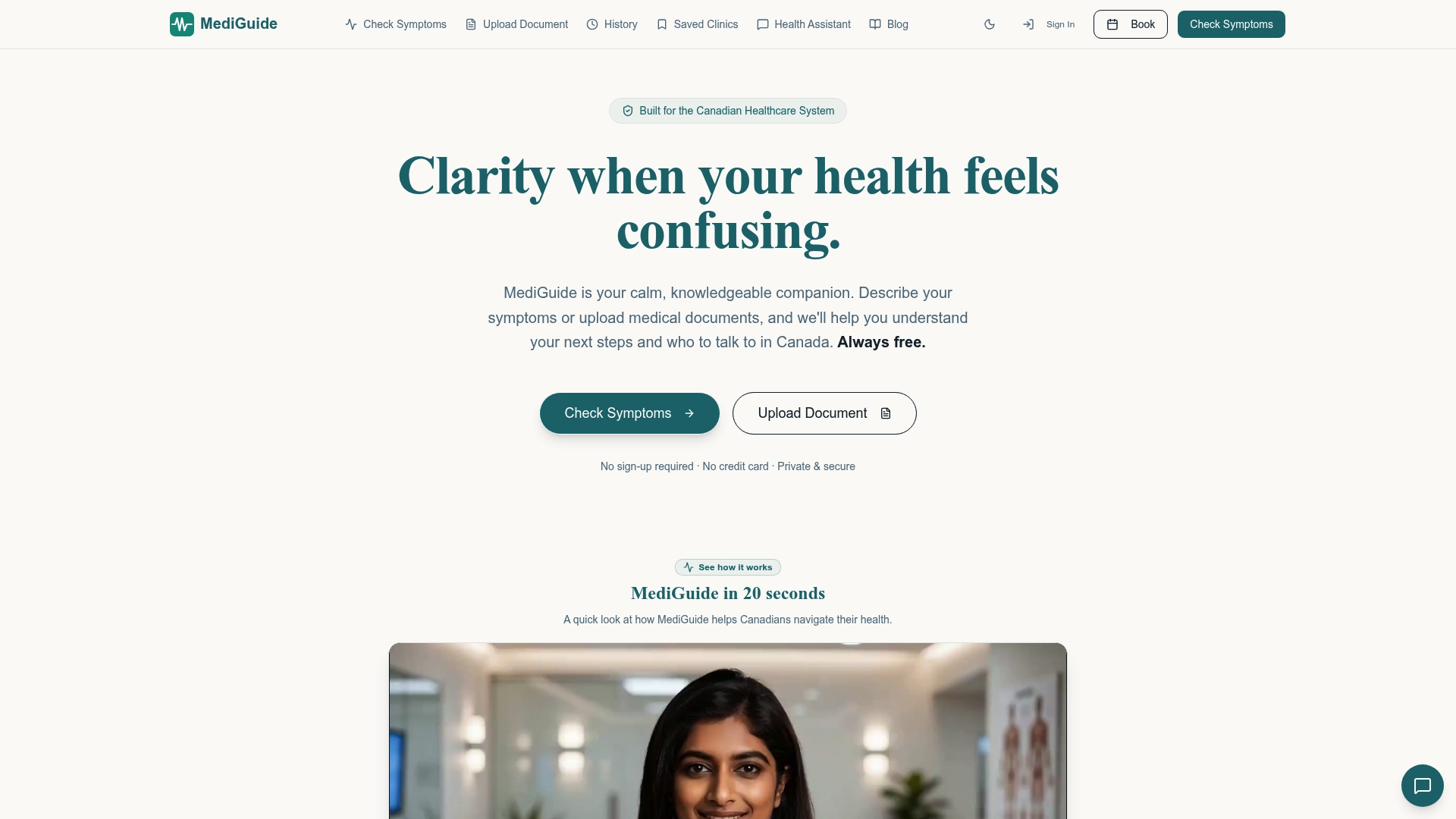
You describe your symptoms in plain language or upload a medical document, and MediGuide returns a clear assessment with a recommended next step and average wait times for your region. The platform connects your symptoms to the right type of specialist, so you are not guessing whether to call a GP or head to a clinic. Check your symptoms now and get a private, plain-English result in minutes. If you have a recent lab result or doctor's note, you can also upload your document for a more detailed review.
FAQ
What is a free health check with no signup?
A free health check with no signup is an online tool that assesses your symptoms or vital signs without requiring you to create an account or share personal information. Results are educational and based on validated clinical screening methods like PHQ-9.
Are no-signup health tools actually private?
Yes, when built correctly. Privacy-focused tools process all data locally in your browser, meaning nothing is transmitted to or stored on external servers. You can verify this by completing the assessment while offline.
How long does a free online health check take?
Completion times range from 35 seconds for a contactless vital scan to 6 minutes for a full symptom questionnaire, depending on the tool and the number of symptoms you report.
Can a no-signup health check replace a doctor's visit?
No. These tools identify symptom patterns and suggest next steps, but they do not diagnose conditions. A clinician, physical exam, and often lab work are required for a confirmed diagnosis.
Is Healthnavigatorai's MediGuide free to use?
Yes. Healthnavigatorai's MediGuide is entirely free, requires no signup, and does not sell or share your personal data. It is built for Canadians who want fast, plain-language health guidance without navigating complex medical systems.


