

A no sign-up health tool is a digital health service that lets you assess symptoms or get health guidance without creating a user profile or entering login credentials. No email address, no password, no account setup. You open the tool, describe what you're experiencing, and get a response. That's the full interaction. Tools like Phaze advertise this directly with phrasing like "Free • No account • All in your browser", making the promise explicit before you even begin. For Canadians who want quick, private answers about their health, understanding what this category of tool actually delivers is worth knowing before you rely on one.
What does a no sign-up health tool mean, exactly?
A no sign-up health tool, also called a no registration health tool or anonymous health tool, is defined by one core feature: it requires no persistent user profile to function. You don't log in. You don't verify an email. The tool processes your input and returns a result without tying that result to an identity it stores. This is distinct from tools that simply delay registration, asking you to sign up after a free trial. True no sign-up tools never ask at all. The category includes BMI calculators, symptom checkers, lab result interpreters, and AI-powered triage tools. What they share is the absence of an account gate.
The industry term for this design approach is "anonymous access" or "unauthenticated access." The informal phrase "no sign-up" is the SEO shorthand most people search. Both describe the same thing: a tool you can use without identifying yourself to the service.
How do no sign-up health tools handle your data?
Data handling is where no sign-up tools differ most from each other, and where the details matter most to your privacy.
Local processing vs. server transmission
The most privacy-protective design is local-first architecture. Local-first tools process data in your browser using technologies like IndexedDB, meaning your inputs never leave your device. The WildandFree BMI calculator is one example that explicitly states no health data is collected and all calculations happen client-side. When a tool works this way, there is no server receiving your symptom description, no database logging your query, and no third party with access to what you typed.

The alternative is server-side processing. Many tools that advertise no sign-up still transmit your inputs to a server or a third-party AI API to generate a response. No persistent profile does not mean no data transmission. Your symptom text may travel to an AI service, get processed on a remote server, and generate network traffic that a determined observer could log. The tool never stores your name, but your query still left your device.
A third design approach uses auto-purge. Some tools store data temporarily in browser memory during your session, then delete it automatically. Reliable no sign-up tools wipe localStorage, IndexedDB, and sessionStorage after you download a report or close the session. This is a meaningful privacy feature, but it only protects you if the purge actually runs and if no copy was sent to a server first.
- Client-side only: Data stays on your device. No server receives your inputs. Maximum privacy.
- Server-side with no account: Data travels to a server or AI API. No profile is created, but your query is transmitted.
- Session-based with auto-purge: Data is held temporarily and deleted after the session ends or a file is downloaded.
- Hybrid: Some calculations happen locally while other features, like AI interpretation, require server contact.
Pro Tip: Before using any no sign-up health tool, search the tool's name plus "privacy policy" and look for the phrase "client-side" or "no data leaves your device." If neither phrase appears, assume your inputs are transmitted to a server.
Does "no sign-up" guarantee full privacy?
No. "No sign-up" guarantees no account creation. It does not guarantee anonymity, and it does not guarantee your data stays on your device. This distinction is the most common misunderstanding people have about this category of tool.
No account means no persistent user profile. Network traffic and third-party data processing may still occur. Here are the specific gaps that "no sign-up" does not close:
- IP address logging. Most web servers log the IP address of every visitor. Even if you never create an account, the server knows a device at your IP address visited and submitted a query.
- Session tokens. Tools that manage a multi-step interaction often create a temporary session token. That token can persist in your browser's local storage after you close the tab, especially on shared devices.
- Third-party AI API calls. If the tool uses an external AI service to interpret your symptoms, your symptom text is sent to that service. The AI provider's data retention policy then applies, not just the health tool's policy.
- Analytics scripts. Many free tools run Google Analytics or similar tracking scripts. These scripts record your visit, your device type, and your behavior on the page, regardless of whether you have an account.
The practical takeaway is this: read the privacy policy before you type anything sensitive. A tool that processes data within Canadian regions and gives you rights to access, correct, or delete your data, as Felix Health does for lab result interpretation, offers meaningfully stronger protection than a tool with no stated data residency at all.
Benefits and limitations for Canadian users
No sign-up health tools offer real advantages for Canadians, particularly for people who want quick answers without committing to a platform or exposing personal information.
What these tools do well
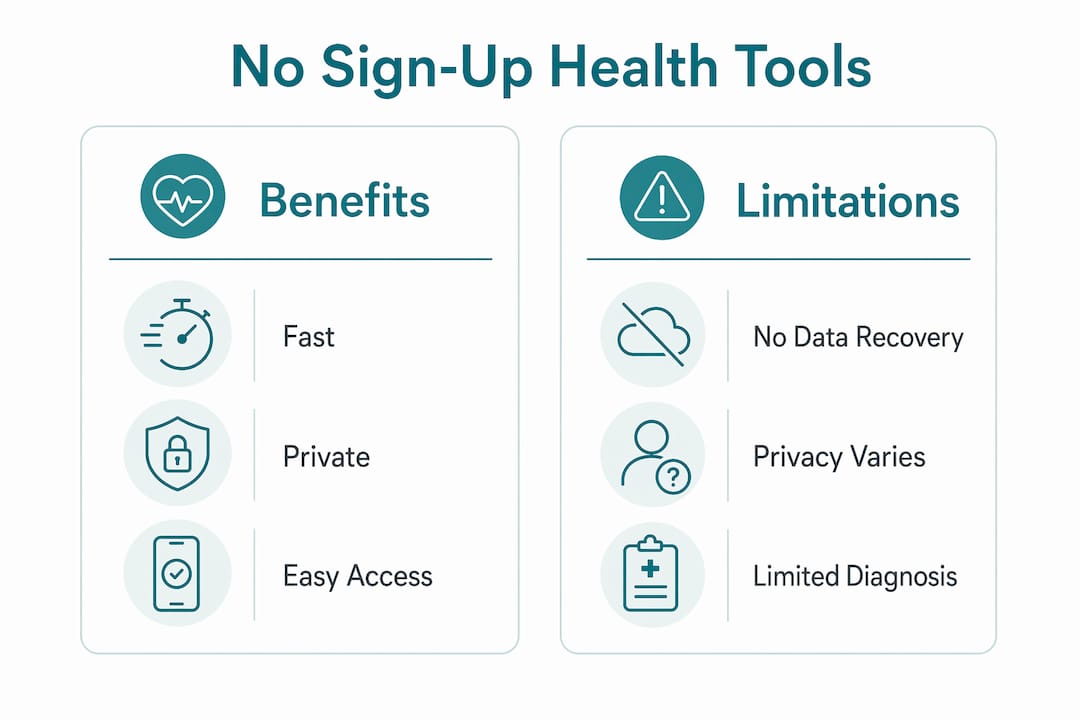
Speed is the primary benefit. You describe a symptom and get a response in seconds, with no registration form standing between you and the information. For Canadians in regions with long wait times for family physicians, this kind of immediate triage guidance has practical value. Privacy is the second benefit. Canadian privacy law principles promote minimal data collection, and no sign-up tools that follow this principle collect little or no personal information by design. You can check a symptom without that query becoming part of a health profile tied to your name.
Pro Tip: Use a no sign-up tool in a private browsing window to prevent session tokens and local storage from persisting on your device after the session ends.
Where these tools fall short
| Limitation | What it means in practice |
|---|---|
| No data recovery | If you close the session, your results are gone. No history, no saved reports. |
| No clinical diagnosis | [Outputs are educational, not medical advice.](https://wiserhealth.ca/trust-compliance/) A tool cannot diagnose you. |
| No continuity of care | The tool has no memory of past sessions, so each visit starts from scratch. |
| Variable data practices | "No sign-up" does not standardize how data is handled across tools. |
| No regulated oversight | Most no sign-up tools are not regulated medical devices in Canada. |
Canadian-specific considerations add another layer. Data residency matters under Canadian privacy law. If a tool processes your health inputs on servers outside Canada, your data may fall under foreign jurisdiction. Tools that explicitly state Canadian data centers, as Felix Health does, give you clearer rights under Canadian law to access or delete your information.
How to safely use no sign-up health tools
Using these tools responsibly comes down to a few consistent habits. None of them are complicated, but skipping them can expose more information than you intend.
- Verify the processing location. Check whether the tool states client-side processing. If it uses an AI model to interpret your symptoms, find out which AI service it calls and review that service's data retention policy.
- Avoid identifiable inputs. Do not type your full name, health card number, or date of birth into a no sign-up tool unless the privacy policy explicitly explains how that data is protected and deleted.
- Use private browsing. Incognito mode and private browsing prevent session tokens and local storage from persisting after you close the window. This is especially important on shared or public devices.
- Look for auto-delete features. Tools that explicitly state they wipe local storage after a session or after a PDF download offer a concrete privacy protection. Ask whether the tool has this feature if it isn't stated.
- Treat results as educational. AI health tools position outputs as educational, not diagnostic. Use the result to decide whether to call a nurse line, book a doctor's appointment, or go to urgent care. Do not use it to self-treat.
- Check for a Canadian privacy policy. A privacy policy that references Canadian law, data residency in Canada, or your rights under PIPEDA gives you more recourse than a generic global policy.
For a broader look at how to protect your health information online, the guide on personal health information protections covers the Canadian legal framework in plain language.
Key takeaways
No sign-up health tools provide fast, private symptom guidance without account creation, but privacy protection varies significantly depending on whether data is processed locally or transmitted to external servers.
| Point | Details |
|---|---|
| Core definition | A no sign-up tool requires no account, email, or login to deliver health guidance. |
| Local vs. server processing | Client-side tools keep data on your device; server-side tools transmit inputs even without an account. |
| Privacy gaps remain | IP logging, session tokens, and third-party AI calls can still occur without a user profile. |
| Canadian context matters | Tools with Canadian data residency give you clearer legal rights to access or delete your data. |
| Use results as education | No sign-up health tools are not regulated medical devices and cannot diagnose conditions. |
Why I think Canadians underestimate the "no sign-up" gap
After spending years watching how people interact with digital health tools, the pattern I see most often is this: people read "no sign-up" and assume "no data." Those are two very different things. The absence of a registration screen feels like privacy. It isn't always.
What I find genuinely useful about the best no sign-up tools is the local-first architecture. When a tool does everything in your browser and purges its own storage after the session, that's a real privacy commitment. It's verifiable. You can open your browser's developer tools and confirm that nothing was sent. That's the standard I think Canadian users should hold these tools to, not just the absence of a login form.
The Canadian context adds a layer most articles ignore. Data residency is not a technicality. If your symptom description is processed on a server in another country, Canadian privacy law may not protect it. That's a meaningful difference, especially for sensitive health queries. I'd encourage anyone using these tools to look for explicit Canadian data center commitments, not just a vague "we take privacy seriously" statement.
The right mindset is calibrated trust. Use these tools for what they're good at: quick triage, understanding your options, deciding whether a symptom warrants a doctor visit. Complement them with professional advice. And verify the privacy claims before you type anything you wouldn't want stored.
> — Rishi
Healthnavigatorai: symptom checking without an account
Healthnavigatorai's MediGuide is built specifically for Canadians who need fast, private health guidance without creating an account. You describe your symptoms or upload a medical document, and MediGuide returns a plain-English assessment with guidance on next steps, relevant specialists, and average wait times in your region.
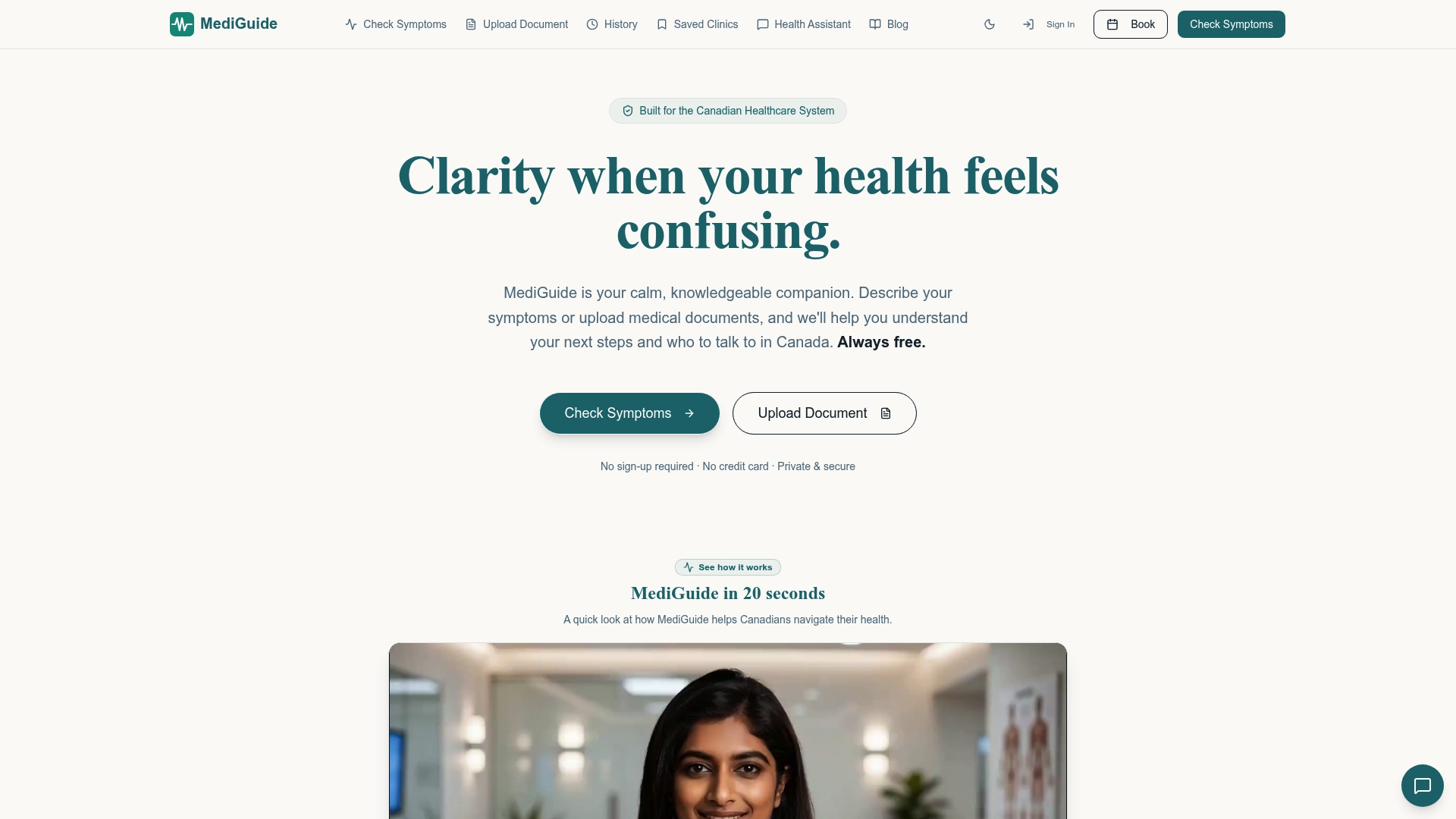
MediGuide does not sell or share your personal data. The service is entirely free and requires no registration at any point. For Canadians who want to understand a symptom before deciding whether to call a clinic or visit urgent care, checking your symptoms with MediGuide is a direct, private starting point. You can also learn more about why MediGuide is built around Canadian privacy principles and what that means for how your data is handled.
FAQ
What does "no sign-up" mean for a health tool?
A no sign-up health tool requires no account, email address, or password to use. You access the tool directly and receive health guidance without creating any user profile.
Does no sign-up mean my data is private?
Not automatically. No sign-up means no account is created, but your inputs may still be transmitted to a server or third-party AI service. Check the privacy policy for client-side processing or Canadian data residency to confirm actual privacy protections.
Can a no sign-up health tool diagnose me?
No. These tools are not regulated medical devices in Canada and cannot provide a clinical diagnosis. Their outputs are educational and intended to help you decide on next steps, such as booking a doctor's appointment or visiting urgent care.
How do I know if a tool processes data locally?
Look for phrases like "client-side processing," "no data leaves your device," or "all in your browser" in the tool's privacy policy or about page. You can also open your browser's developer tools and check the network tab while using the tool to see if any data is transmitted.
Are no sign-up health tools safe to use on shared devices?
They carry more risk on shared devices because session tokens and local storage can persist after you close the tab. Use private or incognito browsing mode and look for tools that explicitly auto-delete local storage after the session ends.


